Inventory & Catalog
All rolesAdd many brands and suppliers — then hang every Part No on the right source.
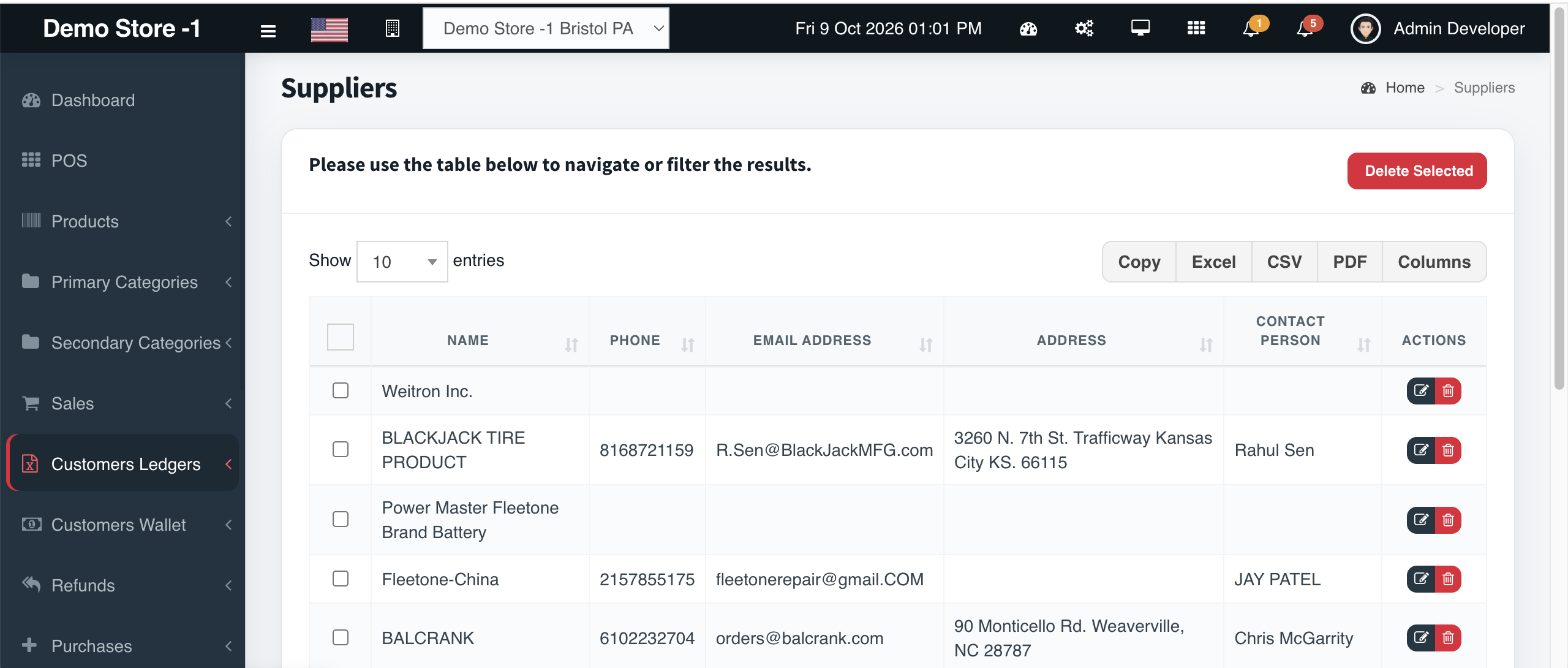
Multiple brands and suppliers on one catalog
Overview
Automotive retail is a multi-brand, multi-vendor business. Cephre lets you add and manage multiple suppliers and brands so product records, purchase orders, and POS manufacturer columns stay consistent.
When you create a PO, you pick the supplier first — the same supplier master your catalog already references. When counter staff scan a part, the manufacturer/brand they trust is already on the line.
What you get
- Multiple supplier records
- Multiple brand associations
- Supplier picker on purchase orders
- Brand/manufacturer visible in POS
- Quick-add supplier from PO flows
- Clean masters for CSV imports
Workflow
How it works
-
1
Add suppliers
Create vendor records with contacts as needed.
-
2
Add brands
Align to how you merchandise the counter.
-
3
Bind on product
Set supplier + brand when adding SKUs.
-
4
Order
Select supplier on Create Purchase Order.
Capability map
Built into Cephre
- Supplier select + view/add on PO
- Brand field on product import columns
- Manufacturer column in POS product table
- Works across multi-store catalogs
Ready to put this on your counters?
Apply for a subscription package sized by Super Admin seats, store Admins, and outlets.