Inventory & Catalog
All rolesSet on-hand quantity per outlet with a three-column stock file.
Part No + Store ID + Quantity
Overview
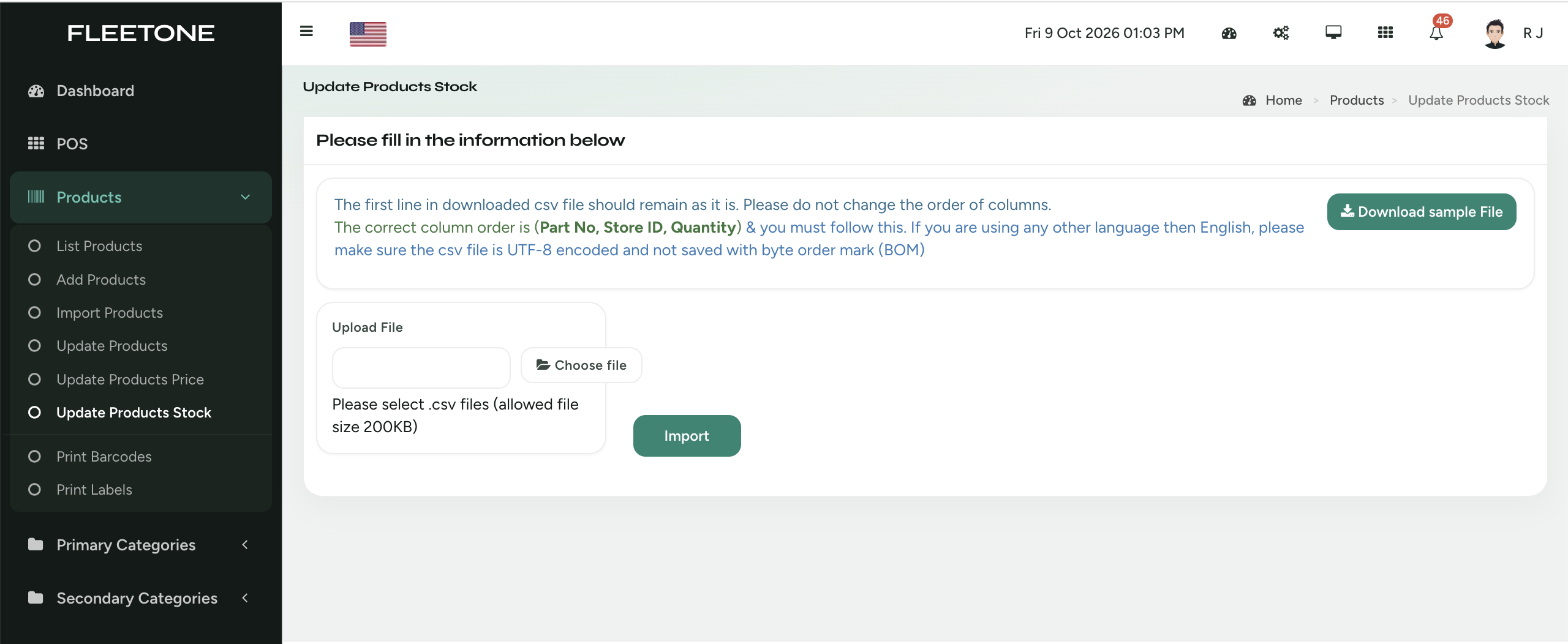
Cephre’s stock update CSV is deliberately narrow: Part No, Store ID, Quantity. That keeps cycle counts and receiving adjustments precise in multi-outlet networks.
Super Admins can work from All Stores; store teams stay scoped to their location. Sample file download, UTF-8 guidance, and size limits keep imports predictable.
What you get
- Columns: Part No, Store ID, Quantity
- Per-outlet accuracy
- Sample file download
- UTF-8 / no-BOM guidance
- All Stores view for Super Admin
- Import button with clear validation notes
Workflow
How it works
-
1
Count or receive
Build Part No / Store ID / Qty rows.
-
2
Download sample if needed
Match headers exactly.
-
3
Import
Run Update Products Stock.
-
4
Confirm
Check POS availability for that store.
Capability map
Built into Cephre
- Update Products Stock screen
- Multi-store header switcher aware
- Pairs with PO receiving workflows
- Supports large automotive catalogs
Ready to put this on your counters?
Apply for a subscription package sized by Super Admin seats, store Admins, and outlets.