Inventory & Catalog
All rolesImport full catalogs in one pass — supplier, brand, Part No, prices, and cross-refs.
One-click catalog load from CSV
Overview
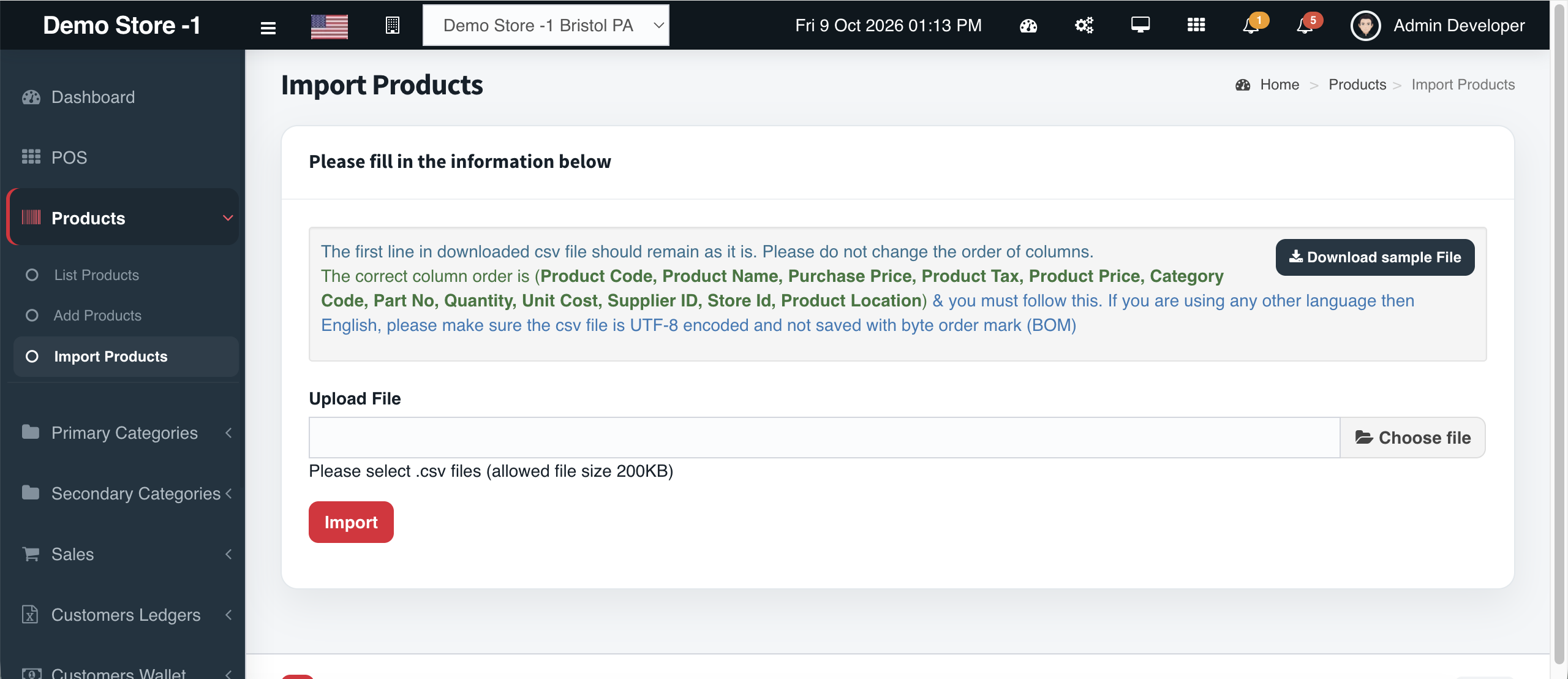
Bulk onboarding should not mean weeks of typing. Cephre’s product import accepts a structured CSV with the column order your operations team expects:
Supplier, Brand, Part No, Product Name, Primary Category, Secondary Category, Purchase Price, Quantity, Selling Price, Product Details, Code, Cross Reference.
Download the sample file, keep the header row intact, save as UTF-8 (no BOM), and import. Use the same pathway when a vendor drops a new line card.
What you get
- Sample CSV download
- Strict column order guidance on-screen
- UTF-8 encoding notes (avoid BOM)
- File size guardrails for safe uploads
- One-click Import action
- Maps directly into automotive product fields
Workflow
How it works
-
1
Download sample
Get the exact header row Cephre expects.
-
2
Fill the sheet
Map vendor columns to Part No, prices, categories.
-
3
Upload
Choose .csv and run Import.
-
4
Verify
Spot-check POS search and category browse.
Capability map
Built into Cephre
- Import Products pathway
- Update Products bulk path
- Works alongside price & stock CSVs
- Store-ready quantities on import
- Cross-ref preserved for interchange
Ready to put this on your counters?
Apply for a subscription package sized by Super Admin seats, store Admins, and outlets.