Stores, Users & Hardware
Super AdminAdd stores as you grow — switch locations from the header anytime.
Add outlets, switch context, roll up performance
Overview
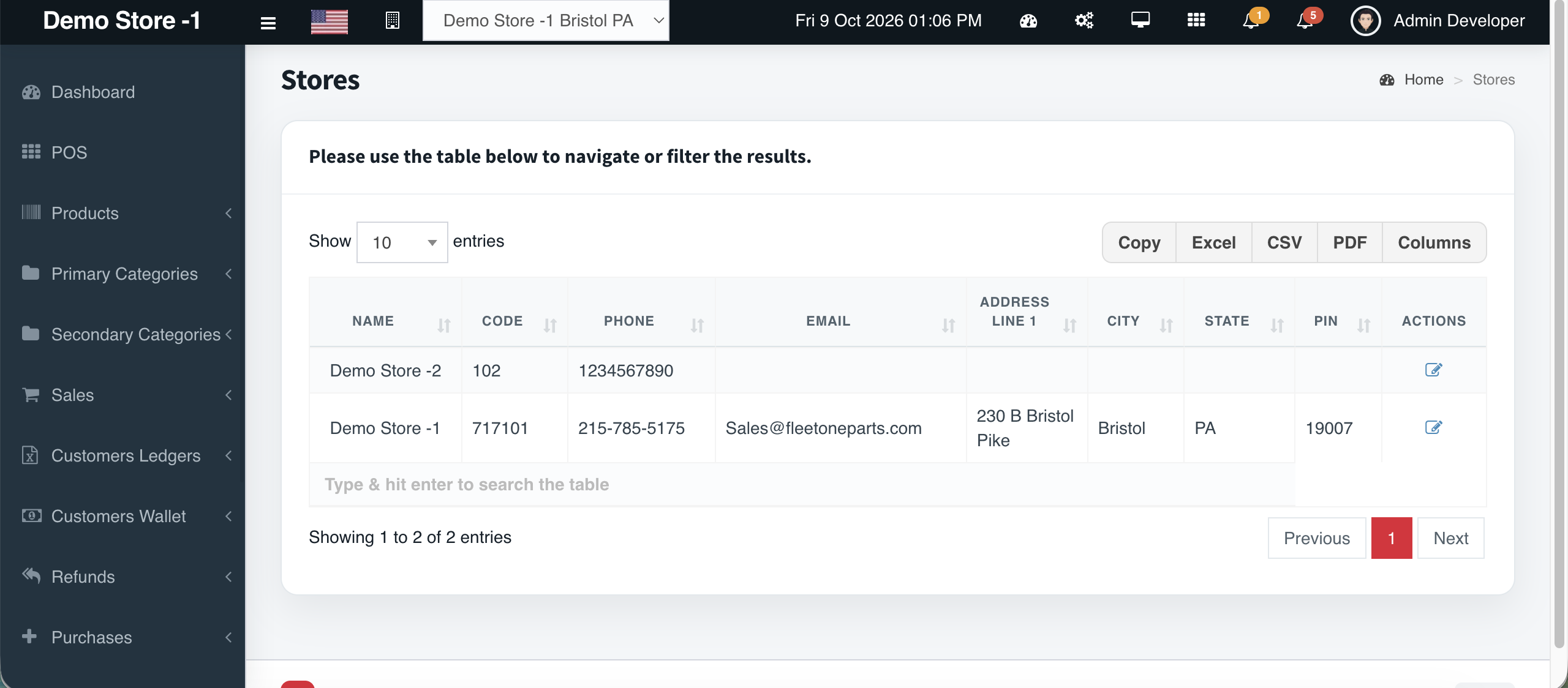
Cephre is multi-outlet by design. Add stores from Settings, switch the header selector between a single location and All Stores, and keep stock files keyed by Store ID.
Subscription packages scale by store count so software limits match your real footprint.
What you get
- Add Store / Stores settings
- Header store switcher
- All Stores aggregation for Super Admin
- Store ID on stock CSV
- Package limits by outlets
- Terminal assignment per location
Workflow
How it works
-
1
Add the store
Settings → Stores.
-
2
Assign users & terminals
-
3
Stock with Store ID CSVs
-
4
Report on All Stores as Super Admin
Capability map
Built into Cephre
- Stores / Add Store
- Assign Terminals
- Multi-store POS & admin
- Subscription store quotas
Ready to put this on your counters?
Apply for a subscription package sized by Super Admin seats, store Admins, and outlets.