Stores, Users & Hardware
All rolesExport products, ledgers, and reports without retyping into spreadsheets.
Excel, CSV, PDF across reports and operational grids
Overview
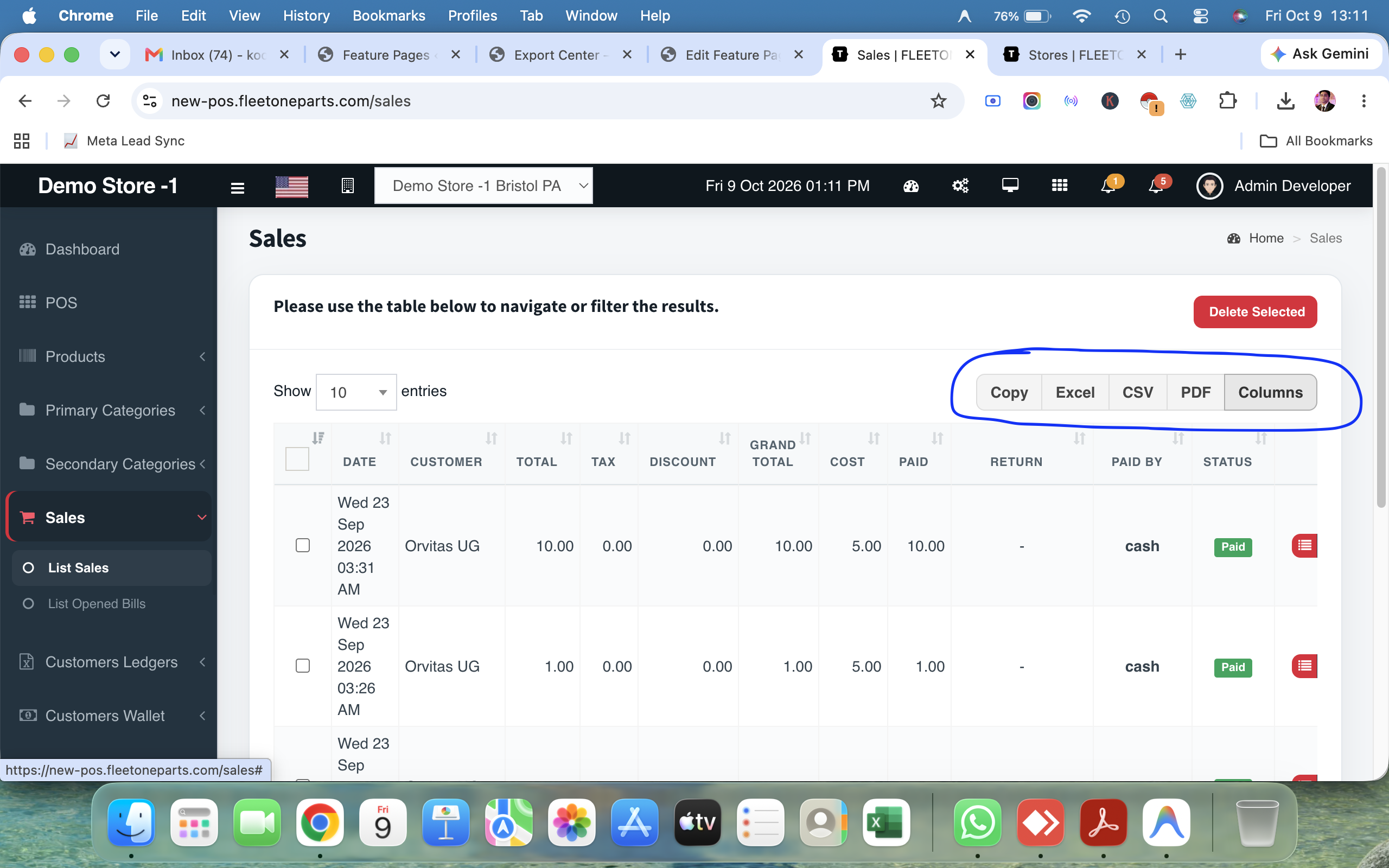
Cephre treats export as part of daily ops. Ledger grids, login sessions, purchase order drafts, and other tables expose Copy, Excel, CSV, PDF, and often Print — plus column toggles so you export what matters.
Owners hand files to accountants; store managers archive PO drafts; Super Admins attach login exports to incident notes.
What you get
- Excel / CSV / PDF exports
- Copy-to-clipboard option
- Print pathways
- Column visibility controls
- Available on key operational tables
- Report exports for Super Admin
Workflow
How it works
-
1
Open any export-enabled grid
-
2
Adjust columns
-
3
Choose Excel, CSV, or PDF
-
4
Share securely
Capability map
Built into Cephre
- Ledgers export bar
- Reports table exports
- PO drafts export/print actions
- Products reporting exports
Ready to put this on your counters?
Apply for a subscription package sized by Super Admin seats, store Admins, and outlets.