Super Admin Reports
Super AdminRead the month and the lifetime number without spreadsheet archaeology.
Period sales and cumulative performance
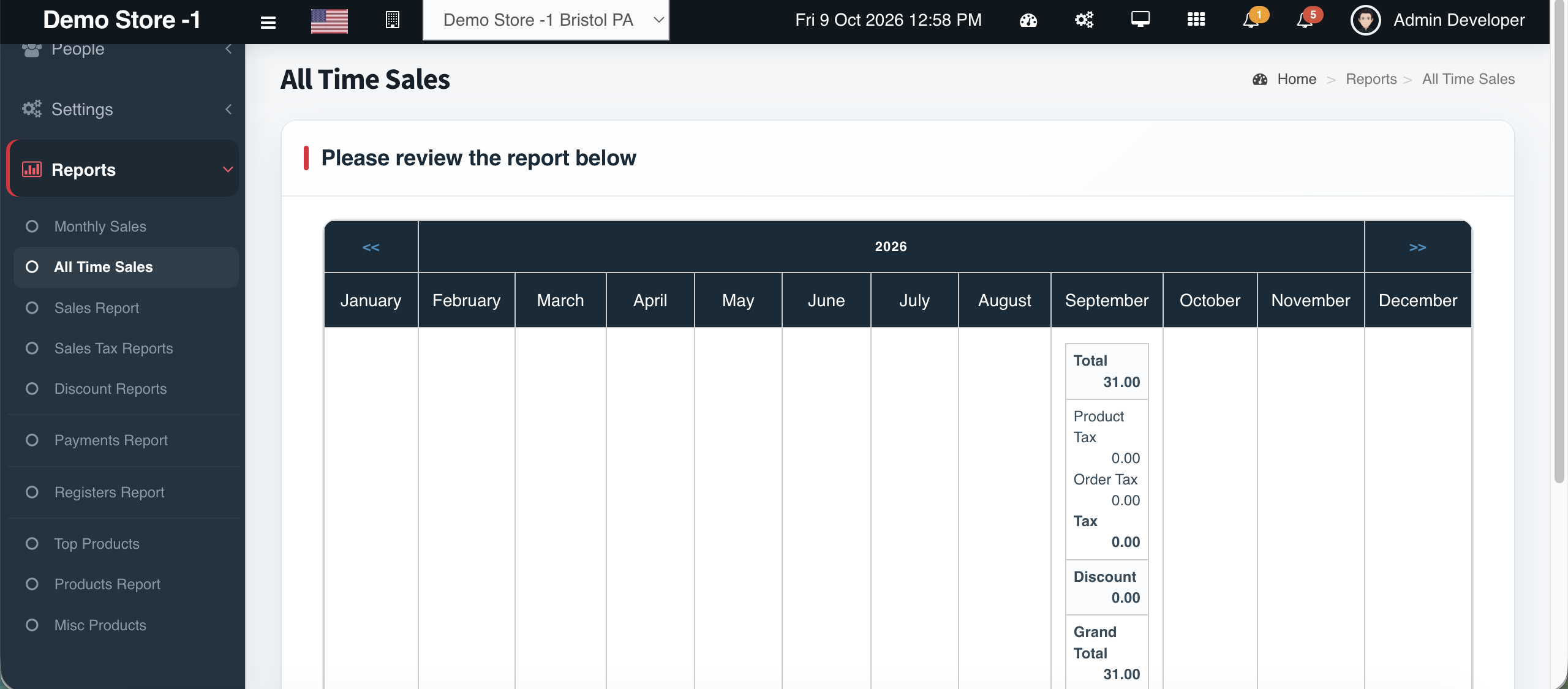
Overview
Cephre includes both Monthly Sales and All Time Sales so owners can answer two different questions: ‘How did we do this period?’ and ‘What has this network produced overall?’
Combine with the Daily Register Calendar’s sales/purchases/expenses/profit cards for a day-level operating picture.
What you get
- Monthly Sales report
- All Time Sales report
- Sales Report pathway
- Register calendar KPI cards
- Multi-store capable via All Stores
- Export-friendly tables
Workflow
How it works
-
1
Open Reports
Choose Monthly or All Time Sales.
-
2
Set scope
Store or All Stores.
-
3
Review
Compare against last month’s top products.
-
4
Share
Export if needed.
Capability map
Built into Cephre
- Monthly Sales
- All Time Sales
- Sales Report
- Registers Calendar summary cards
Ready to put this on your counters?
Apply for a subscription package sized by Super Admin seats, store Admins, and outlets.