Purchasing
Store AdminWhen a fleet asks for a part you do not stock — capture it and purchase it.
Add products customers need and turn demand into POs
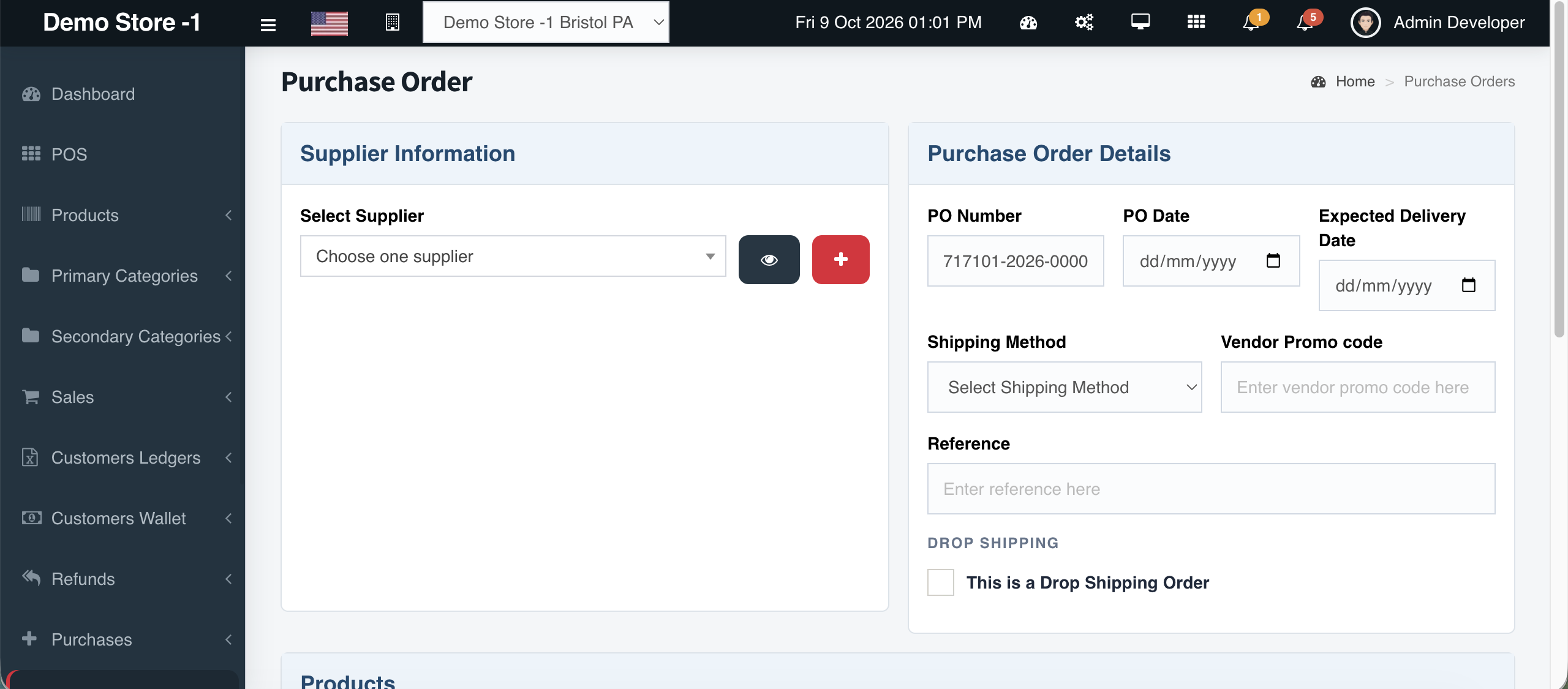
Overview
Lost sales often start with ‘we can order that.’ Cephre supports the full loop: add the product into your catalog with proper Part No and supplier fields, then create a purchase order that includes those lines for the vendor.
Store teams capture what customers want on the shelf; purchasing converts that list into supplier POs without a side spreadsheet.
What you get
- Add product from counter demand
- Attach supplier & brand immediately
- Include new SKUs on the next PO
- Draft POs until vendor send
- Keeps Part No continuity from ask → shelf
Workflow
How it works
-
1
Capture the ask
Add product with Part No and supplier.
-
2
Build PO
Select vendor and add the new lines.
-
3
Send to vendor
Finalize draft when quantities are set.
-
4
Receive & sell
Stock update, then POS.
Capability map
Built into Cephre
- Add Products + Create PO together
- Works with CSV for larger demand lists
- Multi-store stocking after receipt
- Ledger customers can be quoted once stocked
Ready to put this on your counters?
Apply for a subscription package sized by Super Admin seats, store Admins, and outlets.